Which Websites Offer Free Resume-Building and Interview Preparation Resources? Top Picks
Looking to land your dream job but unsure where to start with your resume or how to prepare for that all-important interview? You’re not alone, and the good news is there are plenty of websites that offer free, easy-to-use tools to help you build a standout resume and get ready to impress employers.
Imagine having access to professionally designed templates, AI-powered suggestions, and interview tips all in one place without spending a dime. Whether you want a clean, simple resume or a creative, eye-catching design, these resources have you covered.
Keep reading to discover the best free websites that will give your job search the boost it needs-your next opportunity is just a few clicks away.
Top Free Resume Builders
Top free resume builders help create professional resumes without cost. They simplify the process and offer useful templates. These tools are ideal for job seekers who want quick and polished results. Each builder has unique features to match different needs.
Indeed, Resume Builder
Indeed, Resume Builder is fast and simple to use. It offers ATS-friendly templates that recruiters easily scan. The tool is fully free and requires no payment. Users can create straightforward resumes without distractions.
Resume.com
Resume.com uses AI to help write content instantly. The WYSIWYG editor lets users see changes in real time. It includes HR-approved templates and options to build cover letters. The site is easy for beginners and saves time.
Flowcv
FlowCV provides customizable resumes without watermarks. The design is clean and modern, focusing on clarity. Users can arrange sections freely to fit their style. It supports exporting resumes without hidden fees.
Open resume
Open Resume focuses on privacy and requires no sign-up. Its single-column layout matches US job market standards. The design ensures ATS systems read resumes correctly. Users appreciate the simple and secure experience.
Canva
Canva offers creative and visual resume templates. It has hundreds of free designs suitable for various jobs. The drag-and-drop editor is user-friendly for beginners. Canva is perfect for those wanting a unique, eye-catching resume.
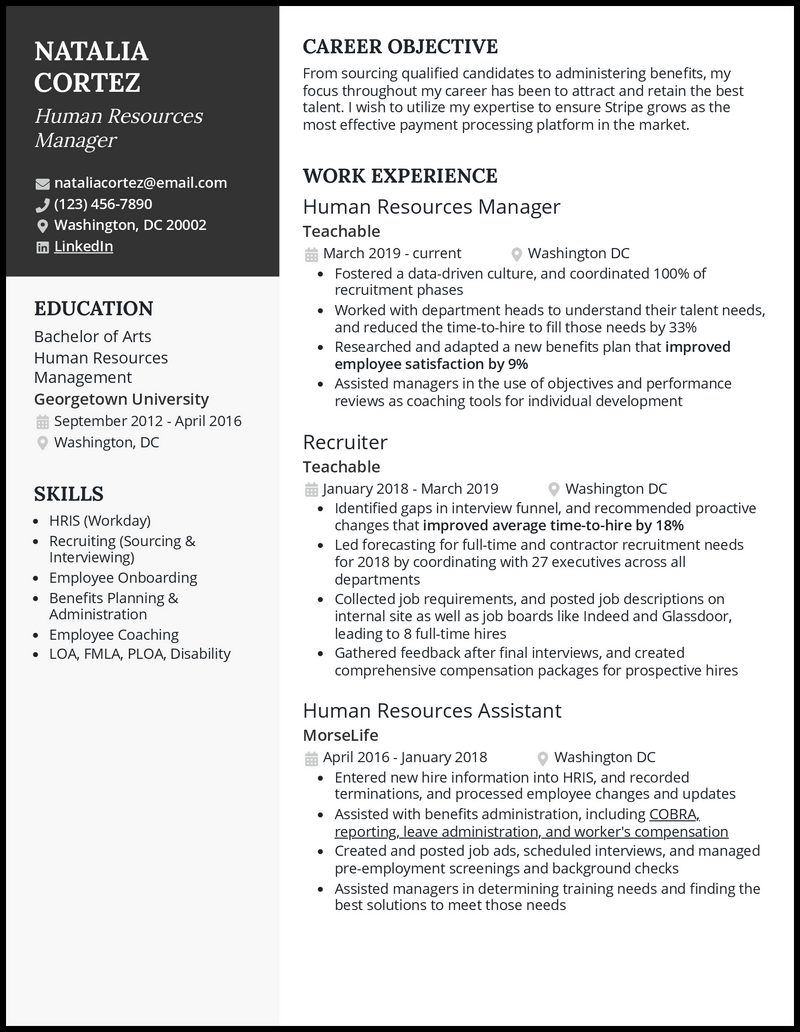
Other Strong Resume Tools
Several other strong resume tools offer useful features for building professional resumes. These websites provide easy-to-use templates, helpful tips, and ATS-friendly formats. They suit beginners and those who want clean, effective resumes.
Each platform focuses on simplicity and customization.
Users can create resumes quickly without prior experience. These tools also help improve interview preparation by offering guidance on presenting skills and experience clearly.
Resume Genius
Resume Genius offers a fast resume-building process. It includes many examples to guide users step-by-step. Some templates require payment, but free options remain useful. Its interface is beginner-friendly and helps avoid common errors.
Zety
Zety provides clean and scannable templates ideal for first-time resume writers. It focuses on ATS compatibility to improve resume visibility. The site offers tips to customize resumes and optimize content for each job.
Novorésumé
Novorésumé emphasizes minimalist and professional designs. Its templates are ATS-optimized to pass automated screenings. The tool allows easy customization of sections and layout. It suits users who want a polished, simple resume.
Visualcv
VisualCV features modern, professional templates perfect for freelancers and creatives. It includes options to track resume views and downloads. Users can create resumes that stand out while maintaining a clean look. The platform supports easy editing and updating.
Key Features To Consider
Choosing the right website for free resume-building and interview preparation requires attention to several key features. These features ensure that your resume looks professional and can pass through employer systems without issues.
Understanding what to look for helps you save time and effort while creating an effective resume and preparing for interviews confidently.
Ats-friendliness
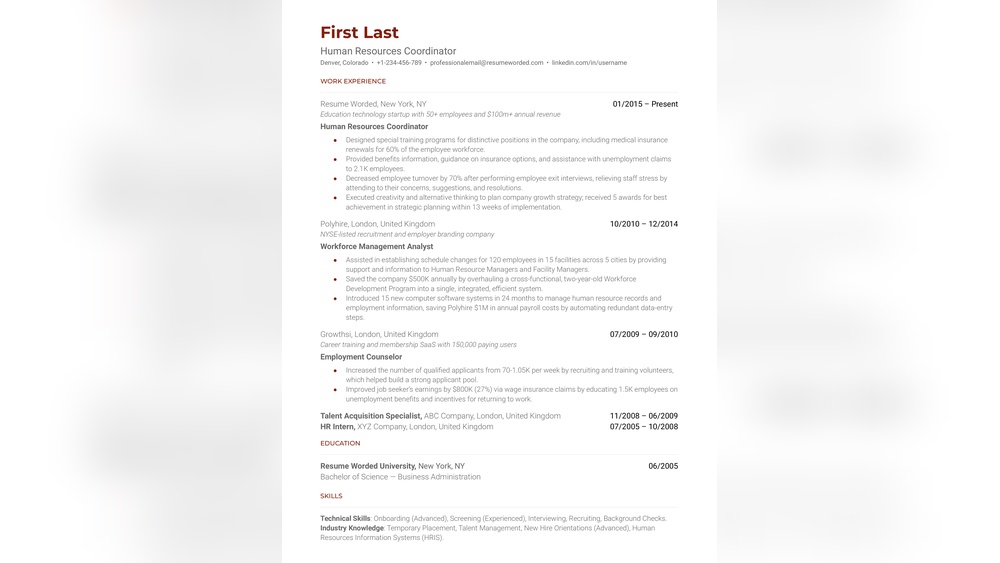
Many employers use ATS (Applicant Tracking Systems) to filter resumes. Choose websites that create ATS-friendly resumes. These resumes use simple layouts, clear fonts, and avoid graphics. This helps your resume pass automated checks and reach human recruiters.
Free Download Options
Check if the website allows free downloads of your resume. Some sites let you build resumes for free, but charge for downloading them. Also, ensure the downloaded resume has no watermarks or hidden fees. Free download options give you full access without surprises.
Ease Of Use
Pick platforms with simple and clear interfaces. Look for drag-and-drop features or step-by-step guidance. Easy-to-use tools save time and reduce frustration, especially for users new to resume building. A smooth experience helps you focus on content quality.
Customization
Customization is key to making your resume unique. Good websites let you change layouts, fonts, colors, and sections. This flexibility allows you to match your resume to the job or industry. Customization also helps highlight your skills and experience effectively.
Free Interview Preparation Resources
Preparing for an interview can feel challenging without the right tools. Free interview preparation resources help you practice and build confidence. They cover everything from mock interviews to skill-building and tips. Using these tools boosts your readiness for real interviews.
Mock Interview Platforms
Mock interview platforms let you practice answering questions in a simulated setting. These platforms often provide feedback on your responses and body language. They help reduce nervousness and improve your communication skills. Some popular free platforms include Pramp and Interviewing.io.
Common Interview Questions
Many websites list common interview questions for various jobs and industries. Practicing these questions helps you prepare clear and concise answers. Examples include questions about strengths, weaknesses, and problem-solving. Reviewing these frequently asked questions sharpens your thinking and response time.
Skill-building Courses
Free online courses can improve skills relevant to your job role. Platforms like Coursera and Udemy offer courses in communication, coding, and leadership. These courses often include quizzes and projects to test your knowledge. Enhancing your skills increases your chances of success during interviews.
Interview Tips And Guides
Interview tips and guides cover important advice for the interview day. They include how to dress, what to bring, and how to follow up. Clear guides explain how to handle different interview formats, like phone or video calls. Following these tips helps create a positive impression on interviewers.
Truly Free Builders Without Signup
Finding a free resume builder that does not require signing up saves time and protects privacy. Many websites ask for an email or account creation before letting you build a resume. Truly free builders without signup allow instant access to resume tools.
They often offer clean, simple designs that work well with applicant tracking systems (ATS). These sites are perfect for users who want quick results without sharing personal data.
Here are some top options that provide free resume-building services without any sign-up process.
Openresume
OpenResume offers a no-sign-up resume builder focused on privacy. The platform keeps your data secure and does not store it on servers. It features a simple, one-column layout ideal for ATS compatibility. Users can create resumes quickly with clear section headings. OpenResume suits job seekers who want a straightforward, US-market-aligned resume.
Easyfreeresume
EasyFreeResume lets you build a resume instantly without creating an account. The tool provides basic templates that are easy to fill out. It guides you through sections like education, experience, and skills. The final resume can be downloaded as a PDF free of charge. EasyFreeResume helps users save time and avoid hidden fees or watermarks.
Flowcv
FlowCV is a resume builder that works without signing up and offers customization options. It supports multiple templates and lets you adjust fonts and layouts. FlowCV produces resumes free of watermarks and ready for ATS. The interface is user-friendly and suitable for beginners. You can export your resume in PDF format quickly and without cost.
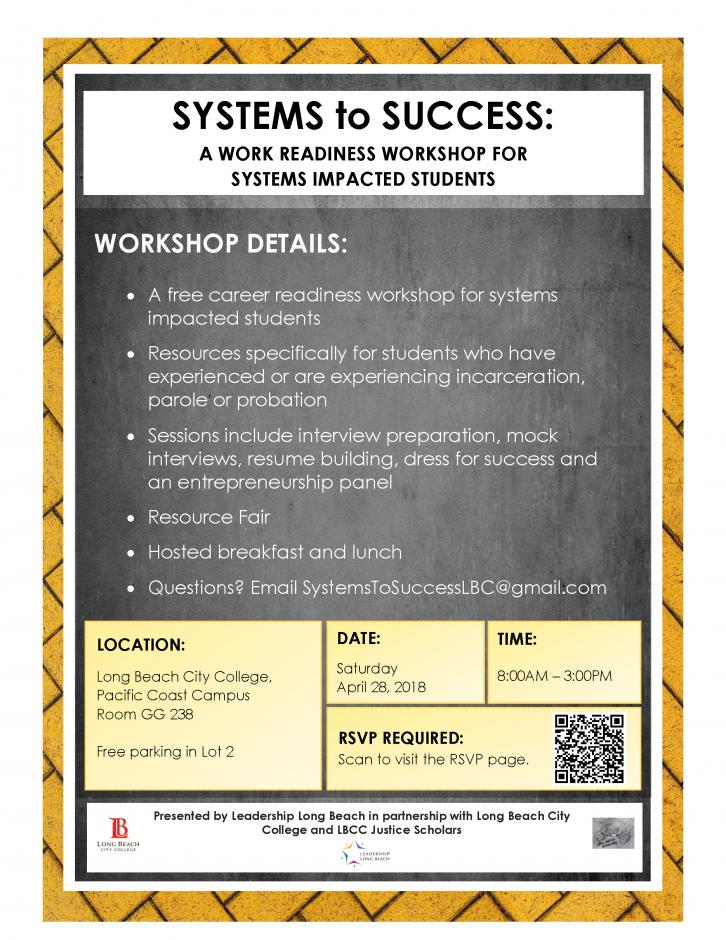
Visual Resume Options
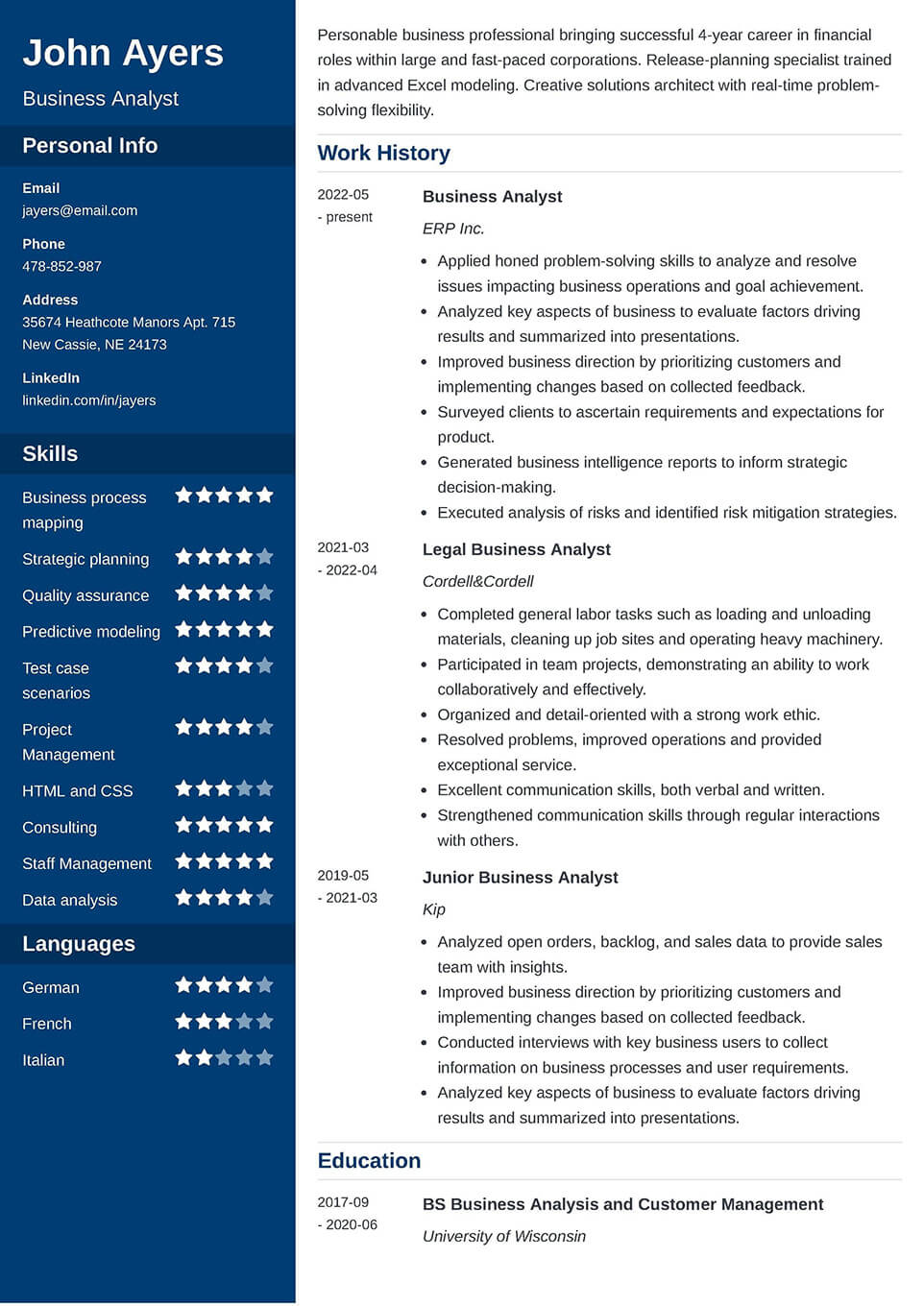
Visual resumes use design elements to highlight your skills and experience. They capture attention quickly with clear layouts and colors. These resumes suit creative fields but must remain professional. Several websites offer free tools to build visual resumes easily. Explore options that provide templates and features matching your style and needs.
Canva Templates
Canva offers hundreds of free resume templates with a strong visual appeal. Users can customize colors, fonts, and layouts with a simple drag-and-drop editor. The platform supports adding icons, images, and charts to showcase skills visually.
Canva resumes are easy to download as PDF files without watermarks. The site also provides tips for resume writing and interview preparation. This tool suits users who want creative control and polished results.
Visualcv Features
VisualCV combines visual design with professional resume standards. It offers modern templates tailored for freelancers and job seekers. Users can track resume views and downloads through a dashboard. The editor allows easy customization of sections and styles.
VisualCV supports importing existing resumes for quick updates. Free plans include access to basic templates and PDF downloads. This platform helps create resumes that stand out while remaining ATS-compatible.
FAQ:
What Is the Best Website for Building Resumes for Free?
Best free resume websites include Indeed for simplicity, Resume. com for AI-powered ease, FlowCV for customization, Open Resume for privacy, and Canva for creative designs. These platforms offer ATS-friendly templates, free downloads, and user-friendly interfaces to build professional resumes quickly.
Are There Any 100% Free Resume Builders?
Yes, several 100% free resume builders exist, such as Indeed, Resume. com, FlowCV, Open Resume, and Canva. They offer easy, ATS-friendly templates and free downloads without watermarks.
Is There a Free Resume Builder Without Paying?
Yes, several free resume builders require no payment. Popular options include Indeed Resume. com, FlowCV, Open Resume, and Canva. They offer ATS-friendly templates, easy editing, and free PDF downloads without watermarks. These tools help create professional resumes quickly and efficiently at no cost.
Is Indeed Resume Builder Actually Free?
Yes, several free resume builders require no payment. Popular options include Indeed Resume. com, FlowCV, Open Resume, and Canva. They offer ATS-friendly templates, easy editing, and free PDF downloads without watermarks. These tools help create professional resumes quickly and efficiently at no cost.
Free resume builders and interview prep sites help job seekers succeed. Choose tools that offer easy editing, ATS-friendly formats, and no-cost downloads. Simple websites like Indeed and Resume. com works well for beginners. For creative designs, Canva provides many options.
Remember to pick resources matching your needs and skills. Using these sites can boost your confidence and improve your job chances. Start practicing today and prepare smartly for your next interview.