How to Choose a Skill Development App for Beginners: Ultimate Guide
Are you ready to learn something new, but don’t know where to start? Choosing the right skill development app can feel overwhelming, especially if you’re a beginner.
With so many options available, how do you find one that fits your learning style and goals? This guide will help you cut through the noise and pick the perfect app that makes learning simple, enjoyable, and effective. Keep reading, and you’ll discover the key features to look for and tips to make your skill-building journey a success from day one.

Key Features To Look For
Choosing the right skill development app starts with knowing what features matter most. These features help beginners learn easily and stay motivated. Focus on apps that offer a clear, simple design and helpful tools.
Here are key features to look for in a skill development app for beginners.
User-friendly Interface
An app should be simple to use. Clear menus and large buttons help beginners navigate quickly and confidently. Avoid apps with cluttered screens or complicated steps, as these reduce usability. Clean, user-friendly design keeps learners focused on learning and improves overall user experience.
Variety Of Skill Categories
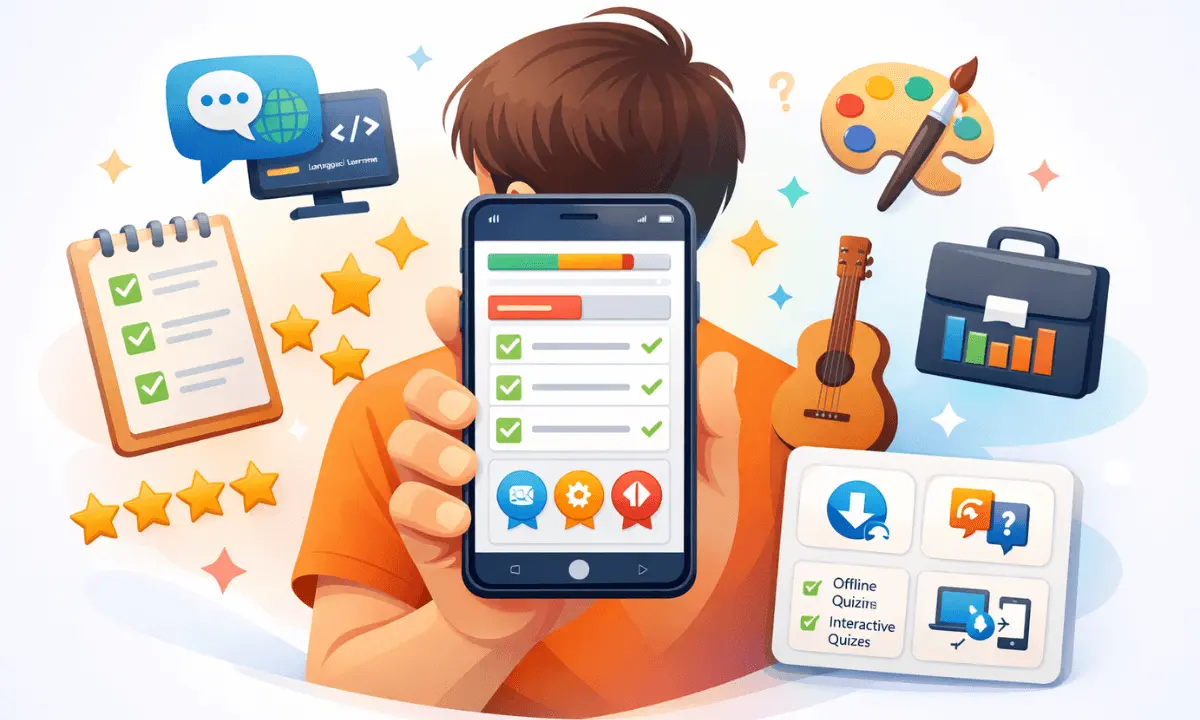
Look for apps that cover many skills. This lets users explore different areas like language, coding, or art. A wide range of options keeps learning fresh and interesting. It also helps users find what fits their goals.
Interactive Learning Tools
Interactive tools make learning active. Features like quizzes, videos, and exercises improve understanding. These tools keep users engaged and help them practice skills. Apps with hands-on activities often lead to better results.
Progress Tracking
Tracking progress shows how much users improve. Good apps offer charts or badges to mark milestones. This motivates learners to keep going. Seeing progress helps beginners feel proud and stay on track.
Offline Access
Offline access allows learning without the internet. This is useful for people with limited connectivity. Apps that work offline let users’
study anytime, anywhere. It adds flexibility and convenience to the learning process.
Types Of Skill Development Apps
Skill development apps come in different forms. Each type offers unique ways to learn. Beginners should understand these types to pick the right app. This helps make learning easy and effective.
Video Tutorials
Video tutorials show skills step by step. They use clear visuals and simple words. Beginners can watch and follow at their own pace. This method suits those who learn by watching and doing.
Gamified Learning
Gamified learning turns skill-building into fun games. It uses points, levels, and rewards to motivate users. This style keeps learners active and interested. It works well for people who enjoy challenges and competition.
Brain Training
Brain training apps focus on improving thinking skills. They offer puzzles and mental exercises. These apps help with memory, focus, and problem-solving. Beginners gain better mental skills for learning new topics.
Project-based Learning
Project-based learning lets users work on real tasks. It teaches skills through hands-on projects. This approach helps users apply knowledge right away. Beginners learn by doing, which builds confidence and skill fast.
Assessing Your Learning Goals
Assessing your learning goals is the first step in choosing the right skill development app. Clear goals help you pick an app that matches your needs. Knowing what you want to achieve keeps you focused and motivated.
Start by thinking about the kind of skills you want to develop. Are they for immediate use or plans? This decision guides your app choice and learning path.
Short-term Vs Long-term Skills
Short-term skills solve immediate problems or tasks. These skills often focus on quick learning and practical use. Long-term skills take more time but build a strong foundation. Apps vary in how they support these types. Choose one that fits your timeline and learning style.
Professional Vs Personal Growth
Professional skills improve your career opportunities and job performance. Personal growth skills boost hobbies, creativity, or daily life. Some apps specialize in job-related skills. Others focus on personal interests like art or language. Decide which area is more important for you now.
Time Commitment
Consider how much time you can spend daily or weekly. Some apps offer short lessons you can complete in minutes. Others require longer sessions and more practice. Pick an app that matches your available time. Consistent learning, even in small steps, brings the best results.
Evaluating App Credibility
Evaluating the credibility of a skill development app is crucial for beginners. The right app offers trustworthy content and effective learning. Credible apps ensure users gain real skills and knowledge. It is important to check several factors before choosing one.
Expert Instructors
Check if the app features qualified instructors. Experts with real experience provide reliable lessons. Look for bios or credentials of the teachers. This helps confirm the app offers quality education. Instructors with practical skills improve learning outcomes.
User Reviews And Ratings
Read user reviews and check ratings carefully. Honest feedback shows the app’s strengths and weaknesses. Focus on comments about content quality and ease of use. High ratings often indicate a good user experience. Reviews also reveal how well beginners are supported.
Regular Content Updates
Choose apps that update content frequently. Regular updates keep lessons relevant and fresh. Updated content matches current industry standards and tools. This prevents learning outdated or incorrect information. Active apps show commitment to user success.
Cost And Subscription Models
Understanding the cost and subscription models helps you pick the right skill development app. Prices vary widely and affect your learning experience. Some apps offer free lessons, while others require payment for full access. Knowing the differences saves money and ensures you get real value.
Free Vs Paid Options
Free apps let beginners explore without spending money. They often include limited lessons or basic features. Paid apps offer more content, extra tools, and no ads. Choose free apps to test a new skill or paid ones for deeper learning. Think about your budget and goals before deciding.
Trial Periods
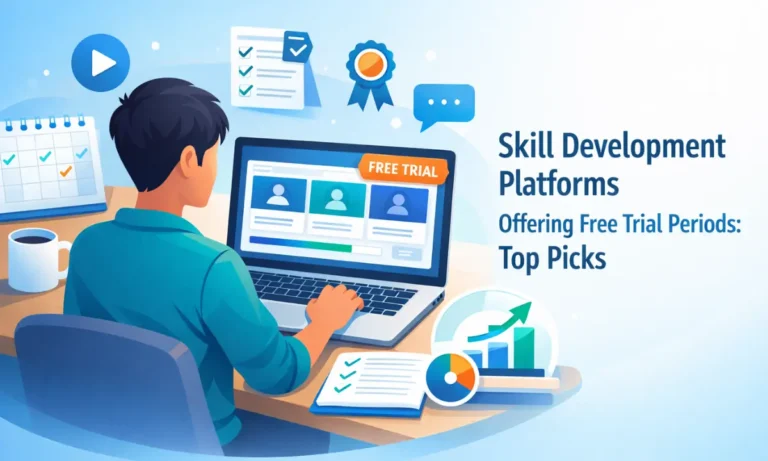
Many paid apps give trial periods. These let you try all features for a short time. Use trials to check if the app fits your learning style. Cancel before the trial ends if it does not meet your needs. Trials reduce risk and help you avoid wasting money.
Value For Money
Look for apps that offer good value for the price. Compare features, lesson quality, and customer support. An expensive app is not always better. Sometimes, a lower-cost app provides enough lessons and tools. Choose an app that balances cost with useful content and ease of use.
Device Compatibility And Accessibility
Choosing a skill development app means checking if it works well on your devices. Device compatibility and accessibility ensure you can learn anytime, anywhere. Your app should fit your daily tech habits.
It should be easy to use on phones, tablets, and computers. Also, it should support users with different needs. This section explains what to check for device compatibility and accessibility.
Mobile And Desktop Support
Pick an app that runs smoothly on both mobile and desktop. Mobile apps let you learn on the go. Desktop versions offer a bigger screen and easier navigation. Some apps only work on one device type, which can limit your learning. Choose apps that offer full features on phones and computers. This flexibility helps you study in different places.
Cross-platform Syncing
Cross-platform syncing saves your progress across devices. Start a lesson on your phone and finish it on your laptop without losing data. This feature keeps your learning organized. It also helps if you switch devices often. Make sure the app syncs quickly and accurately. It improves your learning flow and saves time.
Accessibility Features
Good skill apps include accessibility features for all learners. Look for options like text-to-speech, adjustable fonts, and color contrast. These help users with vision or hearing challenges. Simple navigation and voice commands also support accessibility. Apps that follow accessibility standards reach more users. They make learning easier and more inclusive.
Community And Support
Community and support play a key role in choosing a skill development app for beginners. A strong community helps learners feel connected and motivated. Support ensures users get help when they face challenges. Both elements improve the learning experience and keep users engaged.
Peer Interaction
Peer interaction lets learners share ideas and ask questions. Apps with forums or chat rooms create spaces for users to connect. Beginners benefit from discussing problems and solutions with others. Learning with peers builds confidence and encourages practice. It also helps users stay motivated to reach their goals.
Customer Support
Good customer support solves problems quickly. Beginners often need help with app features or technical issues. Apps that offer live chat, email, or phone support are best. Fast and clear responses keep users from getting stuck. This support reduces frustration and improves user satisfaction.
Additional Resources
Extra materials like tutorials, FAQs, and guides add value. These resources help users learn independently and deepen their knowledge. Apps that provide videos, articles, or practice exercises offer more learning options. Beginners find it easier to understand topics with varied resources. This also makes the app useful over time.

Top Apps For Beginners
Choosing the right skill development app can shape your learning journey. Beginners need apps that are simple and effective. The best apps offer easy lessons, clear instructions, and flexible learning paths. Here are some top apps to consider for beginners.
Skillshare
Skillshare offers thousands of short classes. It covers creative skills like drawing, writing, and design. Lessons come from experts and creators. The platform encourages learning by doing projects. It suits beginners who want to try new hobbies or build basic skills.
Udemy
Udemy has a vast library of courses on many topics. From coding to cooking, it has lessons for all interests. The courses include video lectures and quizzes. Beginners can learn at their own pace. Udemy often offers discounts, making learning affordable.
Duolingo
Duolingo is a popular app for learning languages. Its bite-sized lessons make language learning fun and easy. The app uses games and rewards to keep learners motivated. It is perfect for beginners who want to start a new language.
Linkedin Learning
LinkedIn Learning provides professional courses to boost career skills. Topics include business, technology, and creative fields. The app features expert-led videos and practical exercises. Beginners can gain confidence and improve job prospects with this app.

FAQ:
Which App Is Best for Skill Development?
Top apps for skill development include Udemy, LinkedIn Learning, Skillshare, Coursera, and Khan Academy. They offer diverse courses for all levels.
How To Start App Development for Beginners?
Start app development by learning basic programming languages like Java or Swift. Use online tutorials and build simple projects. Practice regularly to improve skills. Explore development tools like Android Studio or Xcode. Join developer communities for support and feedback.
How To Choose the Right App Developer?
Evaluate developers’ experience, portfolio, and technical skills. Check client reviews and communication style. Ensure they understand your project goals clearly.
How to Create Mobile Apps That Make $3,000 A Day?
Create high-demand apps solving specific problems. Use effective monetization like ads or subscriptions. Optimize user experience and marketing. Analyze data to improve continuously. Focus on quality and scalability to reach $3,000 daily revenue.
Choosing the right skill development app takes thought and care. Focus on apps that offer clear lessons and easy navigation. Check if the app fits your learning style and goals. Look for apps with good reviews and steady updates. Try free versions before buying any full access.
Keep your learning consistent and enjoy the process. With the right app, building new skills can be simple and fun.
https://akperbinalitasudama.ac.id/
https://akfisstlukastomohon.ac.id/
https://akbidjakartamitrasejahtera.ac.id/
https://akperpemkabacehtenggara.ac.id
https://aklpemprovsumsel.ac.id/
https://poltekkessbengkulu.ac.id/
https://akabidartakabanjahe.ac.id/
https://atrowidyadharma.ac.id/
https://akbidhafsyahmedan.ac.id/
https://akbidindahmedan.ac.id/
https://akbiddelhusdelmed.ac.id/
https://akperharapanmamadeliserdang.ac.id/
https://stmiktrigunapati.ac.id/
https://akbidikabinalabuhanbatu.ac.id/
https://akbidbungabangsaaceh.ac.id/
https://ejournal.akbidbungabangsaaceh.ac.id/
stikes cianjur
stikes demak
stikes garut
stikes gorontalo
stikes gowa
stikes gresik
stikes pacitan
stikes pamekasan
stikes pandeglang
stikes pangandaran
strong democracy
suara aceh
suara banten
suara jabar
suara jambi
suara jateng
suara jatim
suara jogja
suara riau