Digital Portfolio Building Guide: Showcase Your Work in 2026
Digital Portfolio Building Guide: Showcase Your Work in 2026
In today’s competitive job market, a resume alone is no longer enough. A digital portfolio has become essential for professionals across all industries—not just creatives. This guide shows you how to build a compelling digital portfolio that showcases your skills, tells your professional story, and helps you stand out to employers and clients in 2026.
Why Every Professional Needs a Portfolio in 2026
The shift to skills-based hiring means employers want to see proof of your abilities, not just read about them. A portfolio provides:
- Tangible evidence of your skills and achievements
- Context for your work experience
- Storytelling platform for your career journey
- Competitive advantage over candidates with only resumes
- Passive job seeking as recruiters discover your work
Portfolio Types by Profession
1. Creative Professionals (Designers, Writers, Artists)
Focus: Visual presentation, creativity, style
Platforms: Behance, Dribbble, Adobe Portfolio, custom website
Content: High-quality images, case studies, creative process
2. Technical Professionals (Developers, Engineers, Data Scientists)
Focus: Code quality, problem-solving, technical documentation
Platforms: GitHub, GitLab, personal website with code samples
Content: Live projects, code repositories, technical write-ups
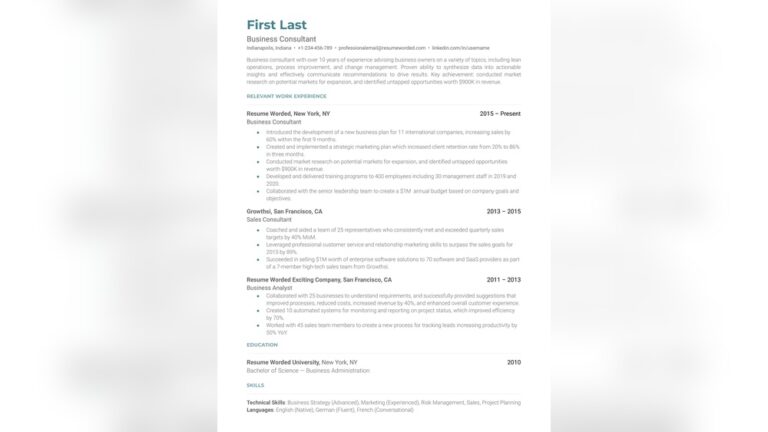
3. Business Professionals (Marketers, Managers, Consultants)
Focus: Results, strategy, business impact
Platforms: LinkedIn articles, personal website, case study PDFs
Content: Campaign results, process improvements, revenue impact
4. Hybrid Professionals (All Industries)
Focus: Multidisciplinary skills, adaptability, learning journey
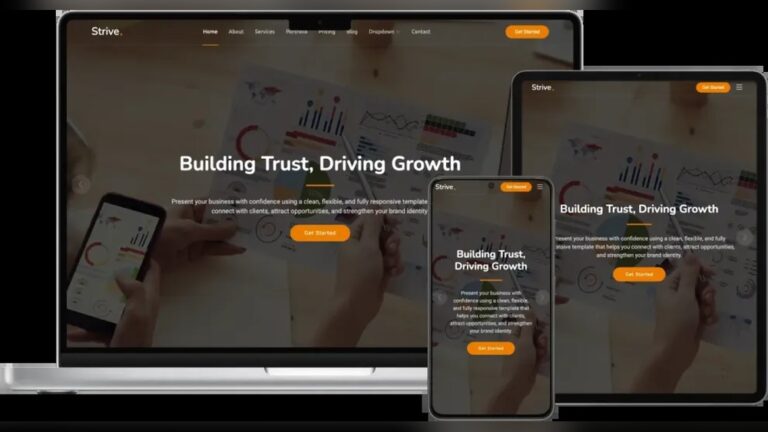
Platforms: Notion, Carrd, Google Sites, WordPress
Content: Skill demonstrations, project summaries, learning milestones
Essential Portfolio Components
1. Professional Bio & Value Proposition
Length: 150-250 words
Content: Who you are, what you do, who you help, your unique approach
Style: Professional yet personal, showing personality
2. Projects/Case Studies (3-5 minimum)
Structure for each project:
- Challenge: What problem needed solving?
- Your role: What did you specifically do?
- Process: How did you approach it?
- Solution: What was the final outcome?
- Results: Quantifiable impact (metrics, percentages, $)
3. Skills & Tools Section
Organize by category: Technical skills, soft skills, tools/platforms
Show proficiency: Beginner/Intermediate/Advanced indicators
Include certifications: With completion dates and issuing organizations
4. Testimonials & Recommendations
Sources: Managers, colleagues, clients, professors
Format: Quote + name + title/relationship + photo (if possible)
Quantity: 3-5 strong testimonials beat 10 generic ones
5. Contact & Call-to-Action
Clear contact options: Email, LinkedIn, calendly link
Specific CTAs: “View my resume,” “Schedule a consultation,” “Download case study”
Professional email: [email protected] (not unprofessional addresses)
Choosing the Right Platform
Free Options
| Platform | Best For | Limitations |
|---|---|---|
| GitHub Pages | Developers, technical roles | Requires coding knowledge |
| Google Sites | Quick, simple portfolios | Limited customization |
| Notion | Content-heavy, organized portfolios | Less visual appeal |
| Carrd | One-page portfolios | Limited to single page |
| LinkedIn Featured | Supplement to LinkedIn profile | Limited to LinkedIn ecosystem |
Paid Options
| Platform | Cost | Best Features |
|---|---|---|
| Squarespace | $16-26/month | Beautiful templates, all-in-one |
| Wix | $16-45/month | Drag-and-drop, extensive features |
| Webflow | $14-39/month | Design control, CMS capabilities |
| WordPress | $4-45+/month | Maximum flexibility, plugins |
| Adobe Portfolio | $9.99/month | Integrated with Creative Cloud |
Portfolio Content Strategy
What to Include (Based on Experience Level)
Entry-Level (0-2 years experience)
- Academic projects with professor feedback
- Internship work samples
- Personal passion projects
- Volunteer work
- Certifications and courses
Mid-Level (3-7 years experience)
- Professional work samples (with permission)
- Cross-functional projects
- Process improvements you implemented
- Mentoring/leadership examples
- Industry conference presentations
Senior-Level (8+ years experience)
- Strategic initiatives you led
- Team/department results
- Industry thought leadership
- Mentorship and team development
- Business impact case studies
Handling Confidential Work
Options when you can’t share actual work:
- Create sanitized versions: Remove sensitive data, use dummy information
- Write process case studies: Describe your approach without sharing outputs
- Get written permission: Some companies allow portfolio use with approval
- Create conceptual projects: Solve similar problems for fictional companies
- Use metrics only: “Increased efficiency by 30%” without showing how
Design Principles for 2026
Visual Design
Minimalism: Clean layouts, ample white space
Accessibility: Color contrast, readable fonts, alt text for images
Mobile-first: 60% of portfolio views are on mobile devices
Loading speed: Under 3 seconds (Google ranking factor)
User Experience
Clear navigation: Intuitive menu structure
Scanability: Headings, bullet points, short paragraphs
Action-oriented: Clear next steps for visitors
Story flow: Logical progression through your work
Brand Consistency
Color palette: 2-3 primary colors + neutrals
Typography: 2 font families maximum
Visual style: Consistent photo filters, illustration style
Tone of voice: Professional yet approachable
SEO Optimization for Portfolios
Keyword Strategy
Target keywords: [Your role] + [location] + [industry]
Example: “UX designer portfolio healthcare Chicago”
Placement: Page titles, headings, image alt text, meta descriptions
Technical SEO
Mobile responsiveness: Google prioritizes mobile-friendly sites
Page speed: Compress images, minimize code
SSL certificate: HTTPS for security and ranking boost
Structured data: Help Google understand your content
Promoting Your Portfolio
Integration with Professional Profiles
LinkedIn: Add to Featured section, include in headline
GitHub: Pin portfolio repository, add to bio
Twitter/Instagram: Link in bio, share portfolio updates
Email signature: Include portfolio link in all professional emails
Networking Strategy
When connecting on LinkedIn: “You can see examples of my work at [portfolio URL]”
In job applications: Mention specific portfolio projects relevant to the role
At networking events: Have business cards with portfolio QR code
Portfolio Maintenance
Regular Updates
Monthly: Check links, update contact info
Quarterly: Add new projects, update skills
Annually: Full portfolio review and redesign if needed
Analytics Tracking
Google Analytics: Track visitors, popular pages, referral sources
Heatmaps: See where visitors click and scroll
Conversion tracking: Measure contact form submissions, resume downloads
Common Portfolio Mistakes to Avoid
- Too much text: Visitors scan, don’t read novels
- Poor image quality: Blurry or pixelated visuals
- No mobile optimization: 60% of views are on mobile
- Missing contact information: Make it easy to reach you
- Outdated content: Remove projects older than 3-5 years
- Slow loading: Compress images, optimize code
- Generic descriptions: “I did this project” vs. “I increased conversions by 25% by…”
- No clear focus: Know your target audience and tailor accordingly
Portfolio Examples by Industry
Marketing Professional Portfolio
Sections: Campaign case studies, content samples, analytics dashboards, testimonials
Metrics to highlight: ROI, engagement rates, conversion improvements, reach
Software Developer Portfolio
Sections: Code repositories, live projects, technical blog, problem-solving examples
Metrics to highlight: Performance improvements, bug reduction, user adoption
Project Manager Portfolio
Sections: Project timelines, stakeholder communications, risk management, team leadership
Metrics to highlight: On-time delivery, budget adherence, team satisfaction, scope management
30-Day Portfolio Building Plan
Week 1: Planning & Content Gathering
- Define target audience and goals
- Gather all work samples and projects
- Write project descriptions using case study format
- Collect testimonials and recommendations
Week 2: Platform Setup & Design
- Choose and set up portfolio platform
- Select template and customize design
- Create basic pages (Home, About, Projects, Contact)
- Set up analytics and contact forms
Week 3: Content Population
- Add 3-5 detailed case studies
- Write professional bio and value proposition
- Create skills and tools section
- Add testimonials and certifications
Week 4: Optimization & Launch
- Optimize for SEO and mobile
- Test all links and forms
- Get feedback from 2-3 trusted colleagues
- Launch and promote on professional networks
Conclusion
A digital portfolio is no longer optional—it’s an essential tool for career advancement in 2026. By showcasing your work in a professional, organized manner, you provide tangible proof of your skills and make it easier for employers to see your value.
Remember: Your portfolio is a living document that should evolve with your career. Start with what you have, launch quickly, and improve continuously. The perfect portfolio is not the one that’s never launched—it’s the one that’s constantly getting better based on real feedback and new achievements.
Ready to build your portfolio? Download our portfolio building toolkit with templates, checklists, and platform comparisons.